
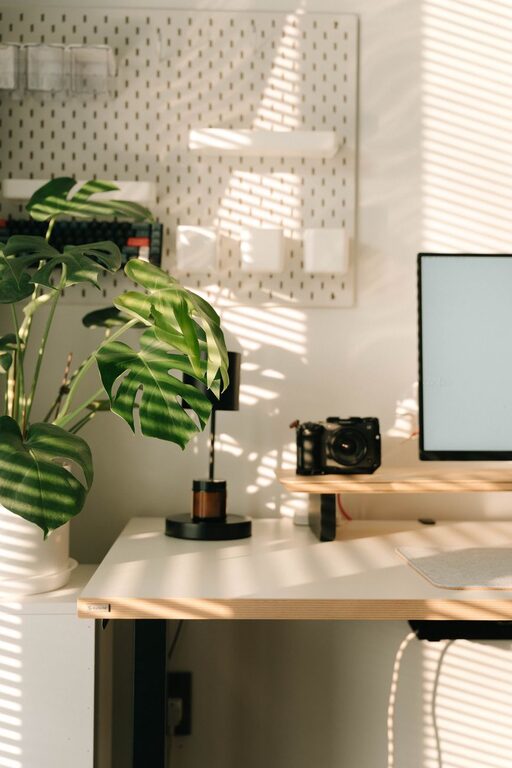
Creating a productive home office space is essential for anyone working remotely or spending significant time at home on work-related tasks. A well-designed workspace can improve focus, reduce stress, and make your workday more enjoyable. Whether you’re starting fresh or looking to improve your current setup, these tips will help you create a home office that fosters productivity and comfort.
Choose the Right Location
Find a Quiet Spot
Select a location in your home that is as quiet as possible, away from distractions like TV noise, household chatter, and foot traffic. A spare room or a corner of a less busy area often works well.
Consider Natural Light
Natural light can boost your mood and energy levels. Set up your desk near a window if possible, but avoid glare on your computer screen. If natural light is limited, invest in good quality, adjustable artificial lighting.
Invest in Comfortable Furniture
Ergonomic Chair and Desk
Choose an ergonomic chair that supports your back and promotes good posture. Your desk should be at the right height to prevent strain on your wrists and shoulders. Adjustable desks or standing desks can offer flexibility and reduce fatigue.
Keep Essentials Within Reach
Organize your desk so that frequently used items—like your computer, phone, notepad, and pens—are easily accessible. This reduces interruptions and keeps your workflow smooth.
Minimize Clutter and Organize
Declutter Regularly
A cluttered space can lead to a cluttered mind. Take a few minutes each day to tidy your desk and put away unnecessary items.
Use Storage Solutions
Use shelves, filing cabinets, and organizers to keep paperwork and supplies neat and out of sight. Label storage containers for easier access.
Establish a Work Routine
Set Work Hours
Define clear work hours and stick to them. This helps you separate work time from personal time, which is important for maintaining work-life balance.
Create Rituals to Start Your Day
Begin each workday with a routine that signals the start of work, such as making a cup of coffee, reviewing your to-do list, or doing a quick stretch.
Personalize Your Space
Add Plants and Personal Items
Plants improve air quality and add a calming presence. Personal items like photos or artwork can make your workspace inviting and motivating.
Choose a Color Scheme
Calming colors like blue or green can improve focus, while splashes of bright colors can enhance creativity. Select colors that make you feel comfortable and alert.
Use Technology Wisely
Reliable Equipment
Invest in a reliable computer, internet connection, and accessories like a headset or webcam if you attend virtual meetings.
Reduce Distractions
Turn off unnecessary notifications, limit social media use during work hours, and consider using apps that block distracting websites.
Take Regular Breaks
Follow the 20-20-20 Rule
Every 20 minutes, look at something 20 feet away for 20 seconds to reduce eye strain.
Move Around
Stand up, stretch, or take a short walk to keep your body active and reduce fatigue.
Maintain a Healthy Work Environment
Control Temperature and Air Quality
Ensure your workspace is well-ventilated and maintained at a comfortable temperature. Consider an air purifier if needed.
Keep Hydrated and Snack Smartly
Keep water nearby and choose healthy snacks to maintain energy levels.
Conclusion
Creating a productive home office space involves thoughtful planning and regular upkeep. By selecting the right location, investing in comfortable furniture, minimizing distractions, and personalizing your environment, you can boost both comfort and efficiency. Remember that your workspace should support your unique needs and preferences to help you stay focused and motivated throughout the workday.